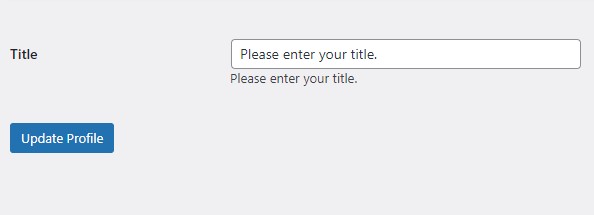
The code snippet plugin changed my life. I no longer edit the raw PHP files to add simple functions like titles to users' profiles.
In the tutorial below, I'll share three ways to create, call, and display a given author's job title in WordPress posts using the free version of the Code Snippet Plugin. All you have to do is copy and paste the code provided.
Using Oxygen Page Builder
Here's how you can add the title field to user profiles using the Code Snippets plugin.
Install and activate the Code Snippets plugin on your WordPress site.
Go to Snippets > Add New to create a new snippet.
Copy the following PHP code into the Code field.
// Add a title field to the user profile
function add_title_field_to_profile($user){
?>
  <table class="form-table">
    <tr>
      <th><label for="title">Title</label></th>
      <td>
        <input type="text" name="title" id="title" value="<?php echo esc_attr(get_the_author_meta('title', $user->ID)); ?>" class="regular-text" /><br />
        <span class="description">Please enter your title.</span>
      </td>
    </tr>
  </table>
<?php
}
add_action('show_user_profile', 'add_title_field_to_profile');
add_action('edit_user_profile', 'add_title_field_to_profile');

// Save the title field when the user profile is saved
function save_title_field($user_id){
  if (!current_user_can('edit_user', $user_id)) {
    return false;
  }
  update_user_meta($user_id, 'title', $_POST['title']);
}
add_action('personal_options_update', 'save_title_field');
add_action('edit_user_profile_update', 'save_title_field');
Give your snippet a title (e.g. "Add Title Field to User Profiles") and click the "Save Changes and Activate" button.
To display the title on the front end, go to Oxygen Builder and create a new template or edit an existing one.
Add a Dynamic Data shortcode in the template and select "Author Meta" as the source.
In the "Key" field, enter "title".
Customize the title display by adding text, HTML, and CSS around the shortcode as desired.
Preview the template to see the user's title displayed on the front end.
This code uses the get_the_author_meta function to retrieve the user's title from the database and display it in Oxygen Builder.
Using The Block Editor
Here's an example of how you can add a title field to user profiles in WordPress using the Code Snippets plugin and display it on the front end using the block editor:
Install and activate the Code Snippets plugin on your WordPress site.
Give your snippet a title (e.g. "Title Field in User Profile") and click the "Save Changes and Activate" button.
Create a new page or post using the block editor.
Add a "Shortcode" block to the page or post.
In the Shortcode block, add the following shortcode to display the title field:
[display_title_field]
Using A Shortcode
Here's an example of how you can add a title field to user profiles in WordPress using the Code Snippets plugin and display it on the front using a shortcode:
Install and activate the Code Snippets plugin in your WordPress site.
Give your snippet a title (e.g. "Title Field in User Profile") and click the "Save Changes and Activate" button.
Create a new page or post and add the following shortcode to display the title field:
[display_title_field]
Save your changes and preview the front end to see the title field displayed on the page or post.
With this code, a title field will be added to the user profile section in the WordPress backend and can be displayed on the front end using a shortcode.
If you had told me a couple of years ago that I could type "a cyberpunk hedgehog making a latte" and get a photorealistic 4K video back in seconds, I would have laughed. But here we are in 2026, and AI video generation isn't just a novelty anymore, it's a massive part of my daily workflow.
This guide leverages my experience to break down how to write, structure, and publish a document that earns trust rather than just demanding attention.
Depending on who you ask, there are anywhere from five to twenty "essential" rules out there. But in my experience, there are really only a dozen “laws” of visual design that matter across every medium. Here’s a guide I’ve created with the elements I find to be the most important, no matter your platform.
I love WordPress for its customizations. Styling code snippets enhances user perceptions. Copy and paste the code below to style your WordPress code blocks.
If you had told me a couple of years ago that I could type "a cyberpunk hedgehog making a latte" and get a photorealistic 4K video back in seconds, I would have laughed. But here we are in 2026, and AI video generation isn't just a novelty anymore, it's a massive part of my daily workflow.
This guide leverages my experience to break down how to write, structure, and publish a document that earns trust rather than just demanding attention.
Depending on who you ask, there are anywhere from five to twenty "essential" rules out there. But in my experience, there are really only a dozen “laws” of visual design that matter across every medium. Here’s a guide I’ve created with the elements I find to be the most important, no matter your platform.
I love WordPress for its customizations. Styling code snippets enhances user perceptions. Copy and paste the code below to style your WordPress code blocks.